
Once Autodesk Construction Cloud has been successfully connected to Breadcrumb, company records from Autodesk will automatically sync to the Breadcrumb Global Companies Register.
This ensures that company information can be reused across multiple projects within Breadcrumb.
How the Company Sync Works
Breadcrumb automatically synchronizes companies from:
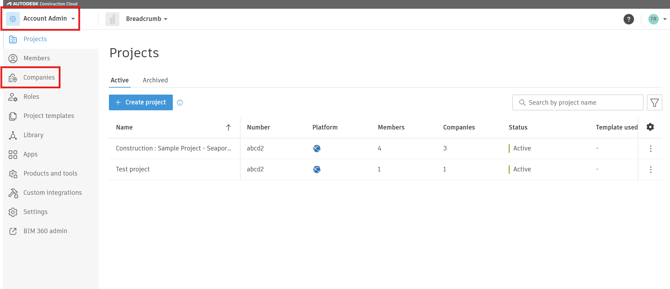
Autodesk Construction Cloud → Account Admin → Companies
The following fields will sync:
-
Company Name
-
ERP Partner Company ID
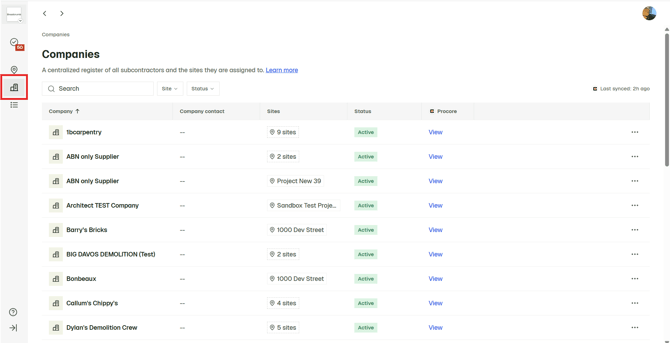
These companies will then appear in the Breadcrumb Global Company Register.
Navigate to the Companies page in Autodesk Construction Cloud
-
Log in to Autodesk Construction Cloud.
-
Open Account Admin.
-
Select Companies from the left-hand navigation.
(Example shown below)
Sync Result
When the integration runs:
-
Autodesk Company Name → Breadcrumb Company Name
-
Autodesk ERP Partner Company ID → Breadcrumb ERP ID
These companies will appear in the Breadcrumb Global Companies Register.
Important Notes
-
Updating the ERP ID in Autodesk will update the record in Breadcrumb during the next sync cycle.